Review Comments (23) Screenshots (17) Questions & Answers (0) Votes (680) Awards (21) Wiki  
(680)
Auslogics Software
3.2.1.10
www.auslogics.com
Freeware
61 016 people
Download AusLogics Disk...

4.79 MBDownloaded 43757 times


Review

This is official description

Disk Defrag is FREE for home users, yet supplied with advanced disk optimization techniques that only paid analogs have.

But for even better performance gain, upgrade to Auslogics BoostSpeed. It includes Disk Defrag with its every feature and advantage, plus over 18 tools for complete computer maintenance and optimization.
 
The following review written by one of the Software Informer contributors applies to version 2.0

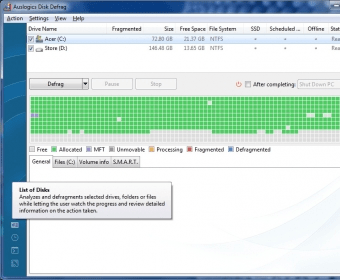
Disk Defrag, by the Auslogics Software, will return the lost vitality of your disk drives, and it will do it in a record time. Using this program you will be able to recover the initial speed of your disk units. In fact, it is much faster than many of its competitors, even it allows you to keep using your PC during the defragmentation process.
Its best point is in its user interface, a polished environment that only shows the important stuff for you. The result is a clearer and simpler to use interface, which also means that it is more accessible to the user, whatever his/her level of knowledge is. Once the process is finished, your CPU and memory will go back to work a lot faster. You can also make it work in the background when you aren't using the PC, and it will keep your disk defragmented and ready to work.
The program is free, but you can support the developers by making a donation trough their web page. Disk Defrag works on Windows 2000, Windows XP, Windows 2003 and Windows Vista.
  • Easy to use.
  • Few system resources used.
  • None.

Reviewed by: Daniel Zambrano

Reviewer rating:

Reviewed: 2 years ago

What's new in version 3.2

Updates in version 3.2:
- updated localization files: translated new strings and corrected mistakes
- fixed an issue causing the "Out of Memory" error when viewing the "Files" tab
- improved report appearance and optimized its generation process
- fixed an issue that caused random program shut downs when stopping defragmentation process

What's new in version 2.0

Added the capability to defragment all drives at once.
Added the capability to analyze any disk.
Added full Unicode encoding support.
Defragmentation speed improved by 30%.
And many other.

What's new in version 1.6

Added the capability to defragment all drives at once.
Added the capability to analyze any disk.
Added full Unicode encoding support.
Defragmentation speed improved by 30%.
And many other.

What's new in version 1.4

- the program is now digitally signed
- shared modules bug fixes
Report a wrong version Report a wrong program title Suggest a correction

Screenshots

Main window Main window Main window Main window About About Main window Main window
All 17 screenshots

Latest comments

Guest #22997086(beginner) 3 days ago 
Incorrectly detected. I just upgraded to Version 3.3.0.
Reply
alansilverstry(beginner) 6 months ago 
— The best of the best
Pros: fast, safe, free
Cons: none
Comment: I have been using Auslogics Disk Defrag for a couple of years and for me it's the best. Really fast, user friendly and safe. 5 stars software!
Reply
Andy K.(beginner) 11 months ago 
Probably the best third party disk defragmentor. It takes pieces for you and shows you visually what it is doing with them.
The nice thing is it goes very in depth. It moves the files and the system seems to run smoother.
Reply
Add new comment All 23 comments

E-mail Address:

Password:

Register now »

Forgot password?

Sign in with:
Download Software Informer Client
Copyright © 2012, Informer Technologies, Inc. About| Privacy and terms| Help| Feedback & Support| Partners program